landoop/kafka-lenses-dev
Lenses with Kafka. +Connect +Generators +Connectors +Registry
100K+
landoop/kafka-lenses-dev repository overview
Lenses Box for Apache Kafka




A docker image for Apache Kafka and Data Engineers.
Includes:
- Apache Kafka v3.6.1
- Kafka Connect and open source collection of Kafka Connect connectors
- Schema Registry
- KStreams via SQL (Lenses SQL)
- Supervisor to control the services
and synthetic generated data for quick experimentation.
Get your free license now and discover how easy streaming can get!
Quick Run
Once you get your license, just run:
docker run -e ADV_HOST=127.0.0.1 -e EULA="[CHECK_YOUR_EMAIL_FOR_PERSONAL_ID]" \
            -p 3030:3030 -p 9092:9092 -p 2181:2181 -p 8081:8081 \
            --name=lenses lensesio/box:latest
Once the services are loaded (it usually takes 30-45 seconds), visit
http://localhost:3030 and login with admin / admin for full access or
log / viewer for limited access to certain topics. If you are on
macOS, depending on how you installed docker, you may have to set ADV_HOST to
192.168.99.100 and visit http://192.168.99.100:3030 instead.
Once logged in, you should be greeted by a screen like below.
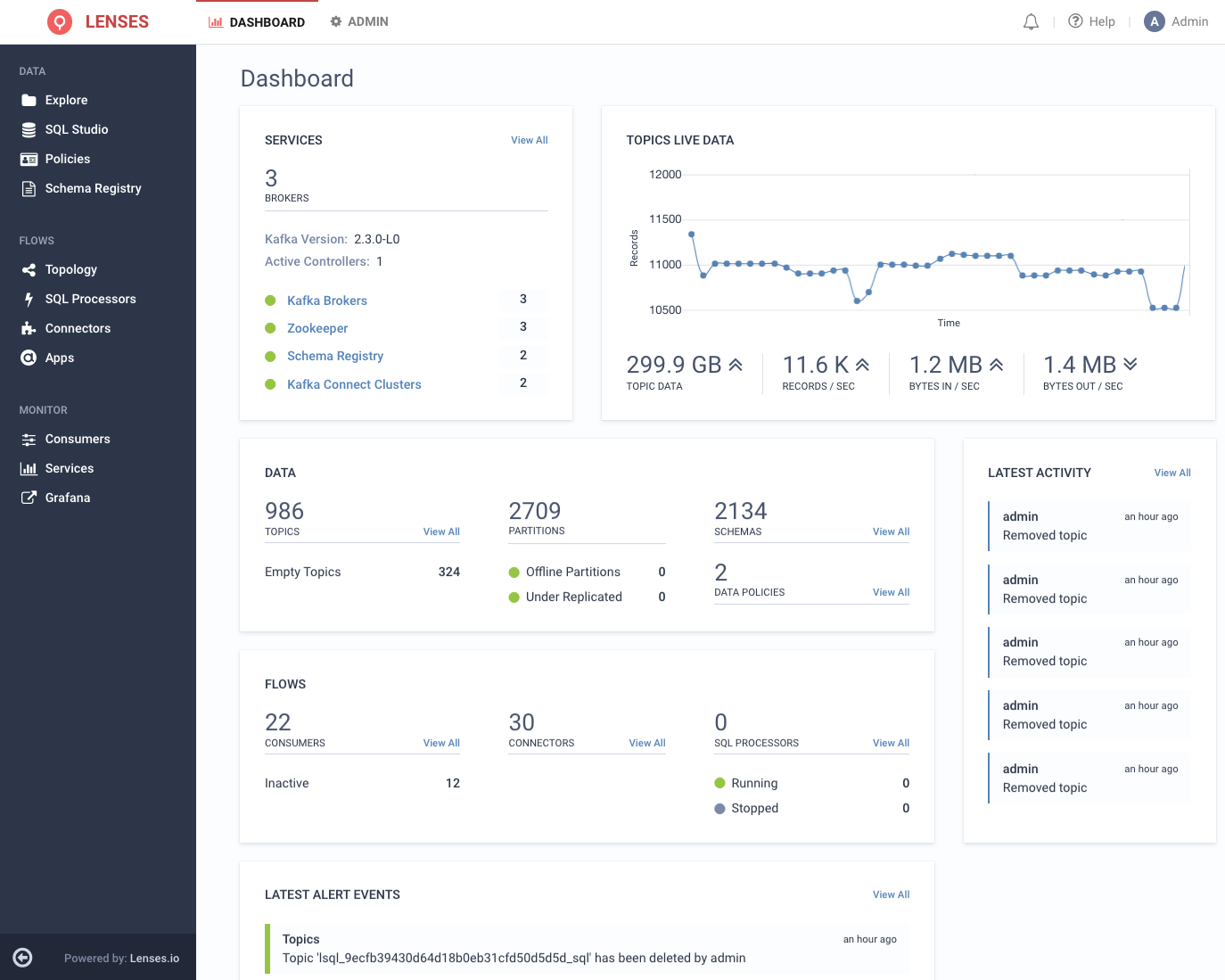
When finished, press CTRL+C to turn it off. You can either remove the test environment:
docker rm lenses
Or use it at a later time, continuing from where you left of:
docker start -a lenses
What is Lenses
Lenses is for the Data Engineer working with Apache Kafka and streaming data and offers:
- Observability and visibility into events, topics, data pipelines, schemas, acls, quotas, connectors.
- Monitoring, insights and notifications for end-to-end data pipelines.
- A data-centric security model, for secure data policies around sensitive data.
- Integrations for auditing, compliance, authentication and data container systems.
Requirements
Docker installed, and at least 4GB of memory available to docker.
For Linux machines this is the available free memory in your system. For macOS and Windows this is the amount of memory you assign to docker’s configuration plus some little extra for the docker Virtual Machines’s operating system. Our recommendation is to have at least 5GB of free memory, so that your system's performance won’t suffer. Operating systems tend to get slower when the free RAM approaches zero.
Configuration options
For advanced configuration options, refer to quickstart documentation and check the examples folder for different use cases.
Hope you will enjoy our product,
The Lenses.io team
Tag summary
Content type
Image
Digest
sha256:3b1235d64…
Size
1.3 GB
Last updated
7 months ago
docker pull landoop/kafka-lenses-dev